
Sell Smarter.
Support Faster.
All on WhatsApp
VyaparBot
Turn WhatsApp into your most powerful sales and support channel. Automate campaigns, respond instantly, and close more deals without losing the personal touch.
Brands who trust us





Please provide your WhatsApp number including your country code, but omit the '+' symbol. For example, if your country code is +91 and your WhatsApp number is 9999999999, enter it as 919999999999.
Details
Automatically send this message when a user clicks on your chat link to streamline the start of the conversation.
WhatsApp Business API for SMBs – Automate
and Personalize at Scale
Running a small or mid-sized business is tough — limited time, growing competition, and customers who expect instant replies. What if you could turn WhatsApp, the app your customers already love, into your most powerful sales, marketing, and support channel? With the WhatsApp Business API, you can automate campaigns, personalize every interaction, and close deals faster — all without hiring a bigger team. From sending targeted broadcasts to handling support with AI chatbots, this is how SMBs stay ahead in today's digital-first market.

Boost Conversions with Personalized
WhatsApp Campaigns
- Generic blasts don’t cut it anymore — customers want to feel like you’re speaking directly to them.
- With personalized WhatsApp campaigns, you can boost conversions by sending the right message to the right person at the right time.
- Imagine a clothing store sending automated WhatsApp offers based on past purchases, a restaurant reminding regulars about their favorite dish on Friday night, or an e-commerce shop sending cart recovery messages that feel personal, not pushy.
- That’s the power of WhatsApp Business API — it helps you automate WhatsApp marketing while keeping it human and relatable.
- No more missed opportunities, no more cold, robotic messages. Just personalized WhatsApp conversations that convert.
- Pro tip for SMBs: Start small. Segment your contacts by purchase history or engagement, then test one or two campaigns. You’ll see higher open rates, faster responses, and more sales rolling in.
Automate Customer Support with
WhatsApp Chatbots
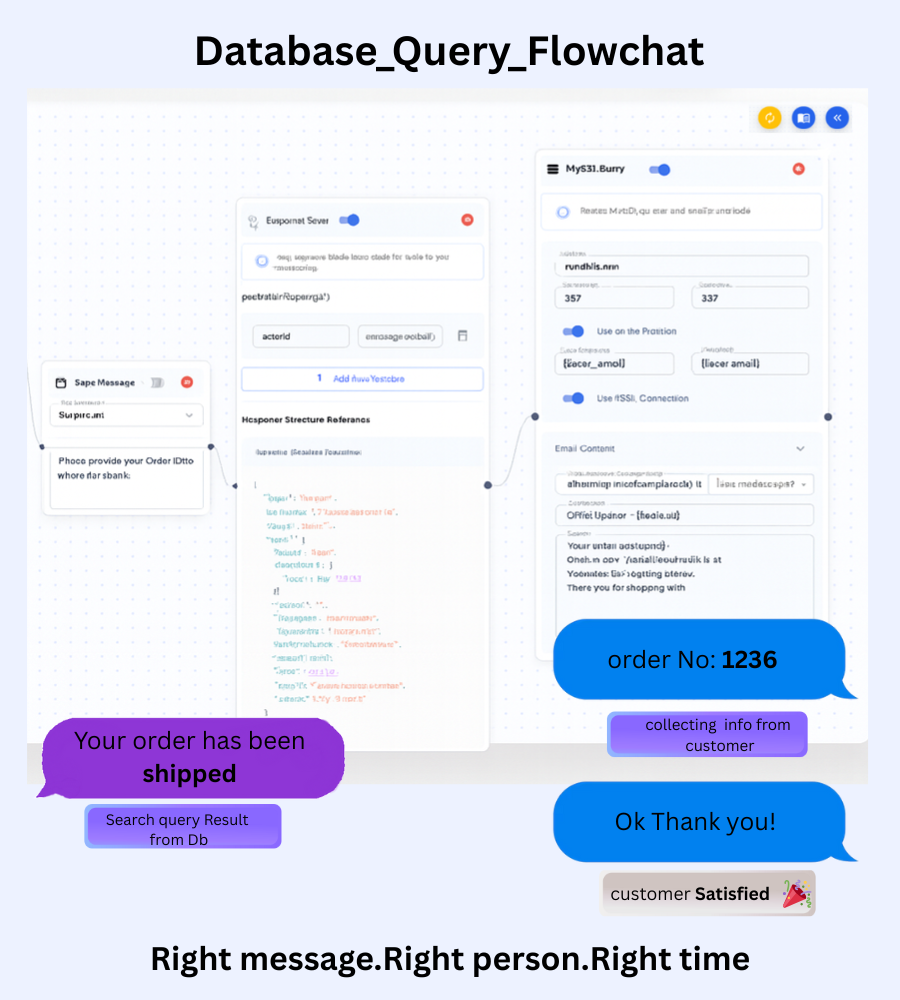
- Customer questions don’t stop at 6 PM — but your team can’t be online 24/7. That’s where WhatsApp chatbots step in.
- With the WhatsApp Business API, you can automate customer support so your customers always get instant answers, even when your team is offline.
- Real-world scenarios: A small electronics shop sets up a no-code chatbot to answer warranty and delivery questions instantly, a travel agency uses a chatbot to handle booking inquiries and send itinerary updates, and an online course creator lets students get 24/7 WhatsApp support without hiring extra staff.
- Instead of drowning in repetitive “Where’s my order?” messages, your team can focus on high-value conversations that build loyalty and drive sales. Meanwhile, customers get the fast, personalized responses they expect.
- Pro tip for SMBs: Start by automating FAQs like shipping, returns, or store hours. Then, scale up to lead capture and product recommendations — all inside WhatsApp.
Centralize Sales & Support with
WhatsApp CRM
- Managing leads in spreadsheets, juggling multiple chats, and losing track of follow-ups? That chaos ends here.
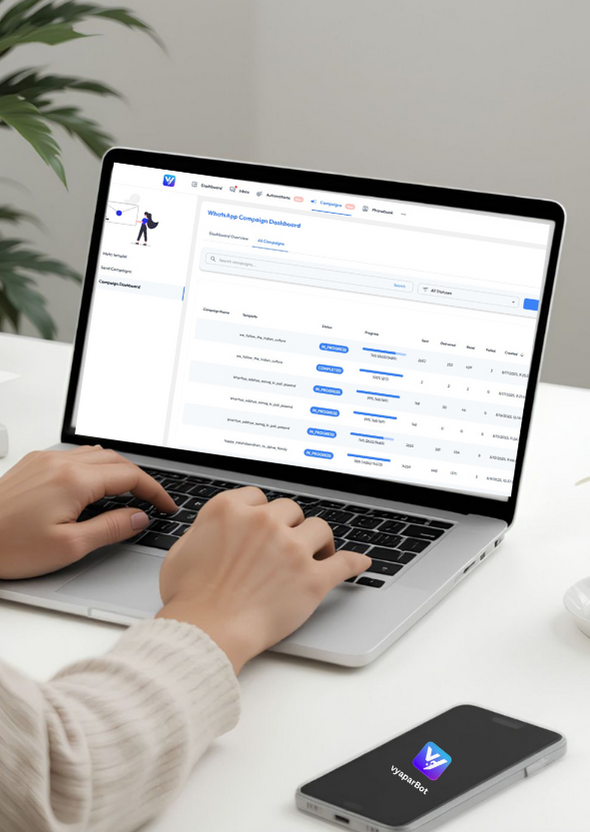
- With a WhatsApp CRM, you bring all conversations, sales, and support into one shared inbox.
- Deliver timely post-sales updates, manage order inquiries, and promptly address support issues via WhatsApp.
- By centralizing, your team collaborates seamlessly, customer context is always at their fingertips, and every interaction feels personal — whether it’s the first chat or the fifth purchase.
- Pro tip for SMBs: Integrate your CRM with WhatsApp to track leads, sales, and customer history in one place. You’ll not only boost response times but also build stronger relationships that keep customers coming back.
- You’ll not only boost response times but also build stronger relationships that keep customers coming back.
Over 100+ customers
The smarter way to market, sell, and support — all powered by VyaparBot.
Choose Your Plan
Select the perfect plan that fits your business needs and budget
Frequently Asked Questions.
Find answers to common questions about our platform and services
Yes, you can use an existing WhatsApp number. However, before onboarding, you must first delete the WhatsApp account linked to that number. If you wish to back up your WhatsApp text messages so that you can restore to VyaparBot, you can use our Chat backup plugin.
The campaign loop feature allows you to set up automated, recurring campaigns that run based on specific triggers or schedules, ensuring continuous engagement with your customer segments without manual intervention.
Yes, VyaparBot includes a powerful, customizable AI chatbot feature that can handle FAQs, lead qualification, and basic customer support, freeing up your human agents for complex issues.
Absolutely. Our platform provides comprehensive scheduling tools, allowing you to plan and execute campaigns days or weeks ahead of time, ensuring timely delivery.
The phonebook feature centralizes all your customer contacts, allowing you to segment them based on purchase history, tags, and engagement level, which is crucial for targeted broadcasts.
Definitely. VyaparBot offers API integrations that connect seamlessly with your website, CRM, and business tools. This allows you to send order updates, track shipments, share invoices, and deliver personalized product or service notifications—all through automated workflows.
Yes, you can design marketing campaigns with custom messages, images, and links to boost customer engagement.
Yes, VyaparBot allows you to upload contact sheets (e.g., Excel or Google Sheets) and directly use those contacts to run targeted campaigns. You can personalize messages, segment audiences, and ensure your communication reaches the right people instantly.
Absolutely! By automating tasks like follow-ups, order updates, and data entry, VyaparBot saves your team’s time and reduces the need for extra staff.
Yes, VyaparBot’s active chatbot instantly responds to customer questions with predefined replies. This ensures your customers always get quick answers—even outside business hours—reducing wait time and improving satisfaction.
Yes. VyaparBot allows you to assign conversations or tasks to specific agents, add a description, and track progress. This ensures no query is missed and the right person handles the right customer at the right time.
Absolutely. Whenever you launch a new campaign, VyaparBot is configured for automatic email notifications and updated in real-time.
Yes. With Google Sheets integration, you can directly sync and manage campaign data and use that response for generating leads and managing customers.
No. VyaparBot is designed to be user-friendly and no-code, so anyone on your team can create, schedule, and manage campaigns without any technical expertise
Yes! VyaparBot allows you to create and run campaigns in multiple languages, so you can engage customers in their preferred language, increase response rates, and provide a more personalized experience—without extra effort.
1. Click “Campaign” and add basic info (name, category, language ). 2.Add header (image or text) and body message. 3.Add buttons/actions and choose response options (call or quick reply). 4.Review and submit—start instantly or schedule for later.
Why Businesses Choose VyaparBot
Transform Your Business with VyaparBot
Business API for SMBs – Automate & Personalize at Scale
Running a small or mid-sized business is challenging. You're short on time, competition is getting...
Grow Smarter with Automation
Grow Smarter with Automation
Growing a business is exciting — but it can also get overwhelming. There are customer questions to answer, follow-ups to send, order to confirm, and...
Grow Without Growing Your Team
Grow Without Growing Your Team
Running a business in today's fast-paced digital world is all about efficiency. Every business dreams of scaling sales, offering exceptional customer...
VyaparBot Impact on SMBs
VyaparBot Impact on SMBs Win with WhatsApp
Many small and mid-sized businesses (SMBs) offer great products and services, but often st...
The Future of Business Customer Service
The Future of Small Business Customer Service: Inst...
Customer service is no longer about call centers and long email threads. Today's customers...
Why SMBs Are Losing Customers
Why SMBs Are Losing Customers Without WhatsApp...
A customer finds your business online. They like your product but have one quick question.They try calling....